A lockout tagout form isn’t just paperwork—it’s the frontline defense against accidental energization, unexpected startups, and catastrophic workplace injuries. Yet, many facilities still use generic PDFs downloaded from random sites, assuming compliance is checked simply by filling out fields. That’s a dangerous assumption.
The right lockout tagout form template does more than satisfy OSHA audits. It guides technicians through high-risk procedures, reduces human error, and creates a documented chain of accountability. But not all templates deliver. Poorly designed forms skip critical details, confuse multi-step processes, or fail to adapt to different equipment types.
This guide breaks down what makes a LOTO form effective, provides a practical template structure, and reveals how to customize it for your operations.
What a Lockout Tagout Form Actually Does
At its core, a lockout tagout form documents the control of hazardous energy during maintenance. But in practice, it serves multiple essential roles:
- Assigns accountability — Who applied the lock? Who authorized the work?
- Maps energy sources — Electrical, pneumatic, hydraulic, thermal, or gravitational?
- Tracks verification — Was the equipment tested to confirm zero energy?
- Supports communication — Alerts others that service is in progress.
Without a structured form, these steps become verbal handoffs, memory-based checks, or assumed knowledge—each a potential failure point.
Example: A maintenance tech shuts off a conveyor’s main breaker but misses an auxiliary drive powered by a separate circuit. No form means no checklist. The conveyor starts during repair. The outcome is preventable.
A robust LOTO form template turns procedure into protocol.
Key Components of an Effective LOTO Form Template
Don’t settle for a basic fillable PDF with five lines. An effective form includes these non-negotiable sections:
1. Equipment Identification Clearly state the machine or system being serviced. Include:
- Asset ID or tag number
- Location (e.g., Production Line 3, West Wing)
- Description (e.g., 20HP Grinder, Hydraulic Press Model X7)
Why it matters: In large facilities, similar machines may exist in different zones. Misidentification leads to wrong lock points.
2. Authorized Employee Details Capture:
- Full name
- Employee ID
- Signature
- Date and time of lock application
This creates a direct chain of responsibility—if something goes wrong, you know who initiated the lockout.
3. Energy Source Inventory List every energy type involved:
- Electrical (voltage level)
- Pneumatic (air lines, pressure levels)
- Hydraulic (fluid lines, reservoirs)
- Mechanical (springs, suspended loads)
- Thermal (steam, hot surfaces)
Each source should have a corresponding lock/tag number.
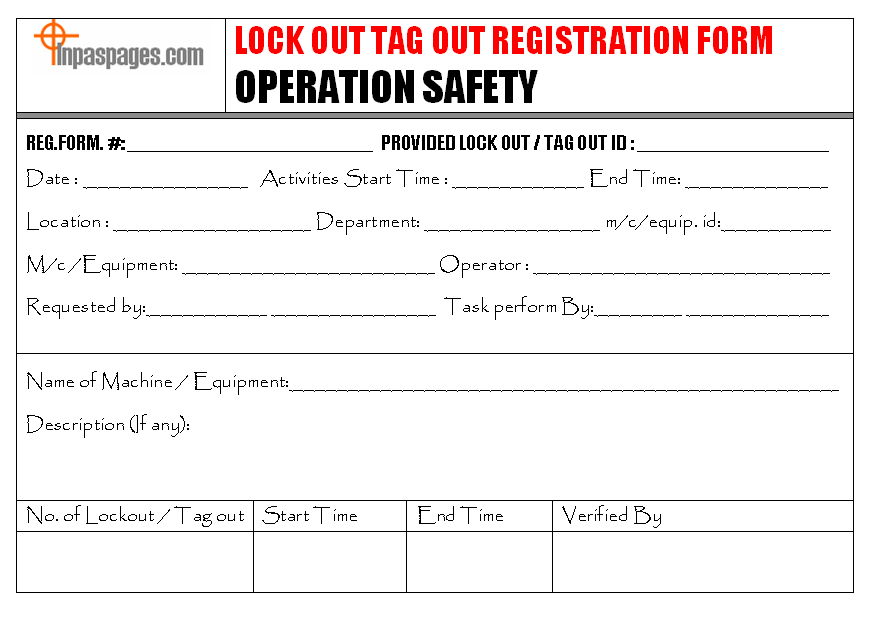
4. Lock and Tag Application Log A table format works best:
| Lock # | Energy Isolation Point | Device Type | Applied By | Time |
|---|---|---|---|---|
| L104 | Main disconnect switch | Padlock | J. Rivera | 8:15 |
This section prevents missed isolation points and simplifies audit reviews.
5. Verification of Zero Energy
This is where most templates fall short. Include: - Method used (e.g., voltage tester, bleed valve) - Results (e.g., “Confirmed 0V at terminals”) - Technician signature
Common mistake: Skipping this field or writing “tested” without evidence. OSHA requires proof—not assumptions.
6. Duration and Clearance Specify:
- Estimated work completion time
- Clearance signature
- Unlock time and method
This prevents indefinite lockouts and ensures proper handback.
When to Customize Your Template
A one-size-fits-all form fails when applied across diverse equipment. Use these scenarios to trigger customization:
- High-risk machinery (e.g., robotic arms, chemical reactors): Add pre-job risk assessment fields.
- Multiple crew shifts: Include shift handover sections with sign-offs.
- Contractor work: Add contractor company, supervisor, and site safety briefing confirmation.
- Complex systems: Use diagrams or supplemental attachments.
Real-world case: A food processing plant used the same LOTO form for a mixer and a boiler. The boiler required atmospheric testing and pressure relief verification—missing from the form. After a near-miss, they split templates by equipment class.
One master form with modular add-ons often works better than dozens of unique versions.
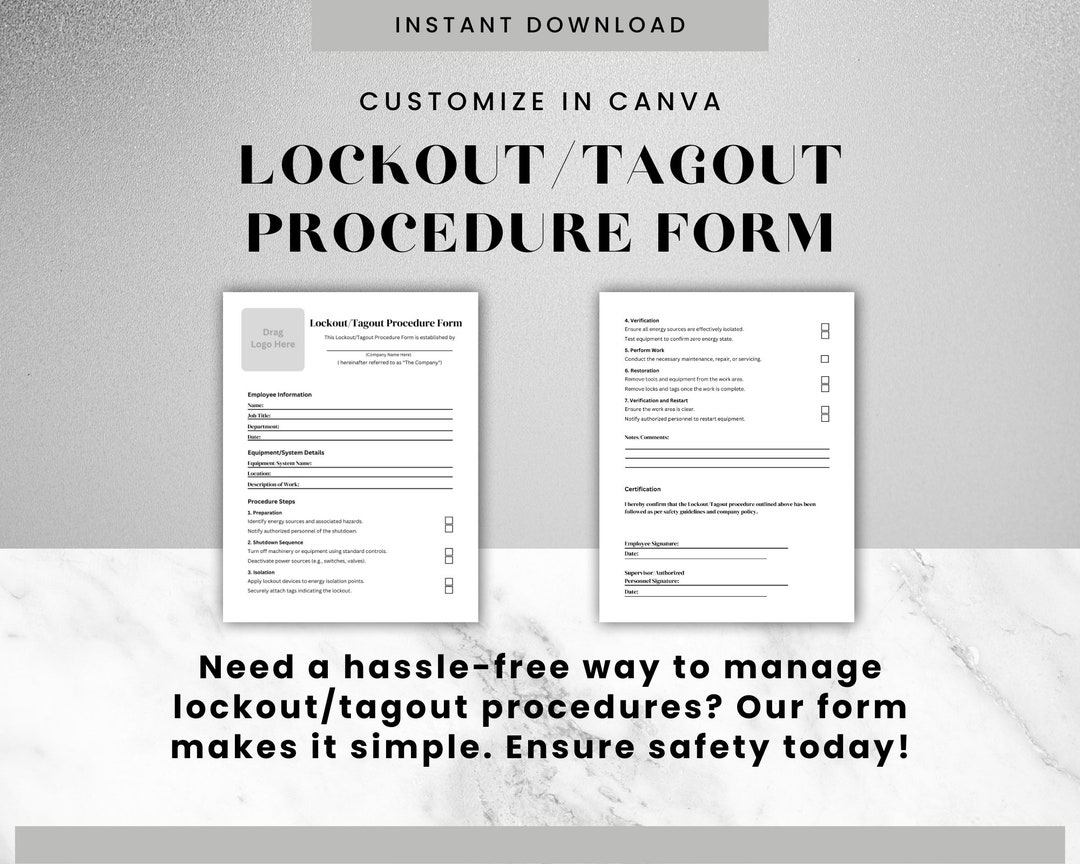
Free Lockout Tagout Form Template (Download Structure)
While we can’t host files here, this is exactly what your downloadable template should include:
markdown
LOCKOUT TAGOUT CONTROL FORM
1. Equipment Information Asset ID: _______________ Location: _______________ Description: _____________
2. Authorized Personnel Name: __________________ Employee ID: ____________ Signature: _____________ Start Time: ____/____/____ at ____:____
3. Energy Sources to Be Isolated [ ] Electrical — Voltage: ______ — Disconnect at: ___________ [ ] Pneumatic — Line ID: ______ — Valve closed at: _________ [ ] Hydraulic — System: _______ — Relief confirmed: Yes / No [ ] Mechanical — Stored energy in: _______________ [ ] Other: ________________________________
4. Lock/Tag Application
| # | Isolation Point | Device | Applied By | Time |
|---|---|---|---|---|
5. Zero Energy Verification Method Used: ___________________________ Results: _______________________________ Verified By: ___________ Signature: _______ Time: ____:____
6. Work Completion & Release Work Completed? Yes / No Cleared By: ___________ Signature: ________ Unlock Time: ____:____ Notes: __________________________________
This structure supports OSHA 1910.147 compliance and adapts to most industrial settings.
Common LOTO Form Mistakes (And How to Fix Them)
❌ Using a Digital Form That Isn’t Accessible On-Site A beautifully designed Google Form is useless if the maintenance bay has no Wi-Fi.
Fix: Offer laminated print copies or offline tablet access. Sync data later.
❌ Skipping Sign-Offs for Speed “Everyone knows I’m working on it” isn’t a safety policy.
Fix: Audit forms weekly. Track missing signatures as compliance red flags.
❌ Failing to Train on the Form Itself Technicians might understand lockout principles but not how to fill the form correctly.
Fix: Include form walkthroughs in LOTO training. Use real examples.
❌ Requiring Unnecessary Fields Asking for department budget codes or maintenance codes unrelated to safety clutters the form.
Fix: Strip to essentials. Add admin fields only on a duplicate internal copy.
Digital vs. Paper LOTO Forms: What Works Best
| Factor | Paper Forms | Digital Forms |
|---|---|---|
| Setup Cost | Low | Medium to High |
| Real-Time Access | No | Yes |
| Audit Trail | Manual | Automated |
| Risk of Loss | High (torn, misplaced) | Low (cloud backup) |
| Offline Use | Yes | Varies |
| Integration | None | With CMMS, EAM systems |
Bottom line: Paper still dominates in high-noise, remote, or harsh environments. Digital excels in facilities with strong IT infrastructure and centralized reporting needs.
Tip: Hybrid systems work well—paper for field use, digital for logging and audit trails.
5 Tools to Create or Manage LOTO Forms For teams ready to upgrade from static templates, consider these platforms:
- EHS Insight
- - Cloud-based safety management
- - Custom LOTO workflows with mobile app
- - Integrates with JSA and incident reporting
- Fraganzen LOTO Module
- - Built-in form builder with approval chains
- - Barcode support for lock tracking
- - Audit-ready reporting
- SigmaSafe
- - Visual lockout mapping (drag-and-drop energy points)
- - Real-time team notifications
- - Contractor access controls
- Lockout Tagout Pro (by Creative Safety Supply)
- - Pre-built OSHA-compliant templates
- - Print or use digitally
- - Training resources included
- SafetyCulture (iAuditor)
- - Turn any form into a mobile checklist
- - Photo uploads, notes, auto-reminders
- - Free tier available
Choose based on scalability, not features alone. A small shop rarely needs AI-driven analytics.
How to Roll Out Your LOTO Form Successfully
A new template fails without adoption. Follow this rollout plan:
- Pilot test on a single machine with a trusted technician.
- Gather feedback—is it clear? Are fields missing?
- Train all authorized employees, including contractors.
- Display completed forms in a visible log (physical or digital).
- Audit monthly—check 10% of forms for completeness.
Pro insight: Review forms during near-miss investigations. Gaps often reveal systemic issues, not individual errors.
A lockout tagout form template isn’t a compliance checkbox—it’s a living part of your safety culture. Use the structure provided, customize it to your risks, and treat it as critically as the lock itself. The best template is the one that’s used correctly, every time.
Start with the form above, test it on your next maintenance cycle, and refine from real feedback. Safety isn’t perfect on day one—but it improves with every thoughtful revision.
Frequently Asked Questions
What should a lockout tagout form include? A complete LOTO form includes equipment ID, authorized worker details, energy sources, lock/tag log, zero-energy verification, and release information.
Are digital LOTO forms OSHA compliant? Yes, as long as they produce a permanent, accessible record and are used in accordance with 1910.147.
Can I use a generic template from the internet? Only as a starting point. It must be customized to your equipment and procedures to be effective.
Who fills out the lockout tagout form? The authorized employee performing the maintenance is responsible for completing and signing the form.
How long should LOTO forms be kept? OSHA doesn’t specify a retention period, but 1–5 years is standard for audit and incident investigation purposes.
Do all employees need to sign the form? Only authorized employees who apply locks must sign. Affected employees may acknowledge awareness but don’t sign the control form.
Can multiple people work on the same machine using one form? Each authorized employee applies their own lock and is listed on the form. The form tracks all locks, not just one.
FAQ
What should you look for in Lockout Tagout Form Template: Free Download & Best Practices? Focus on relevance, practical value, and how well the solution matches real user intent.
Is Lockout Tagout Form Template: Free Download & Best Practices suitable for beginners? That depends on the workflow, but a clear step-by-step approach usually makes it easier to start.
How do you compare options around Lockout Tagout Form Template: Free Download & Best Practices? Compare features, trust signals, limitations, pricing, and ease of implementation.
What mistakes should you avoid? Avoid generic choices, weak validation, and decisions based only on marketing claims.
What is the next best step? Shortlist the most relevant options, validate them quickly, and refine from real-world results.